In our previous post, we established that Coding Agents are fundamentally different from chat-based LLMs: they don’t just suggest code, they act on it. But how does a generic language model become a Coding Agent? What gives it the ability to read files, write code, and execute commands? And how do you keep it from becoming a bloated, unpredictable mess?
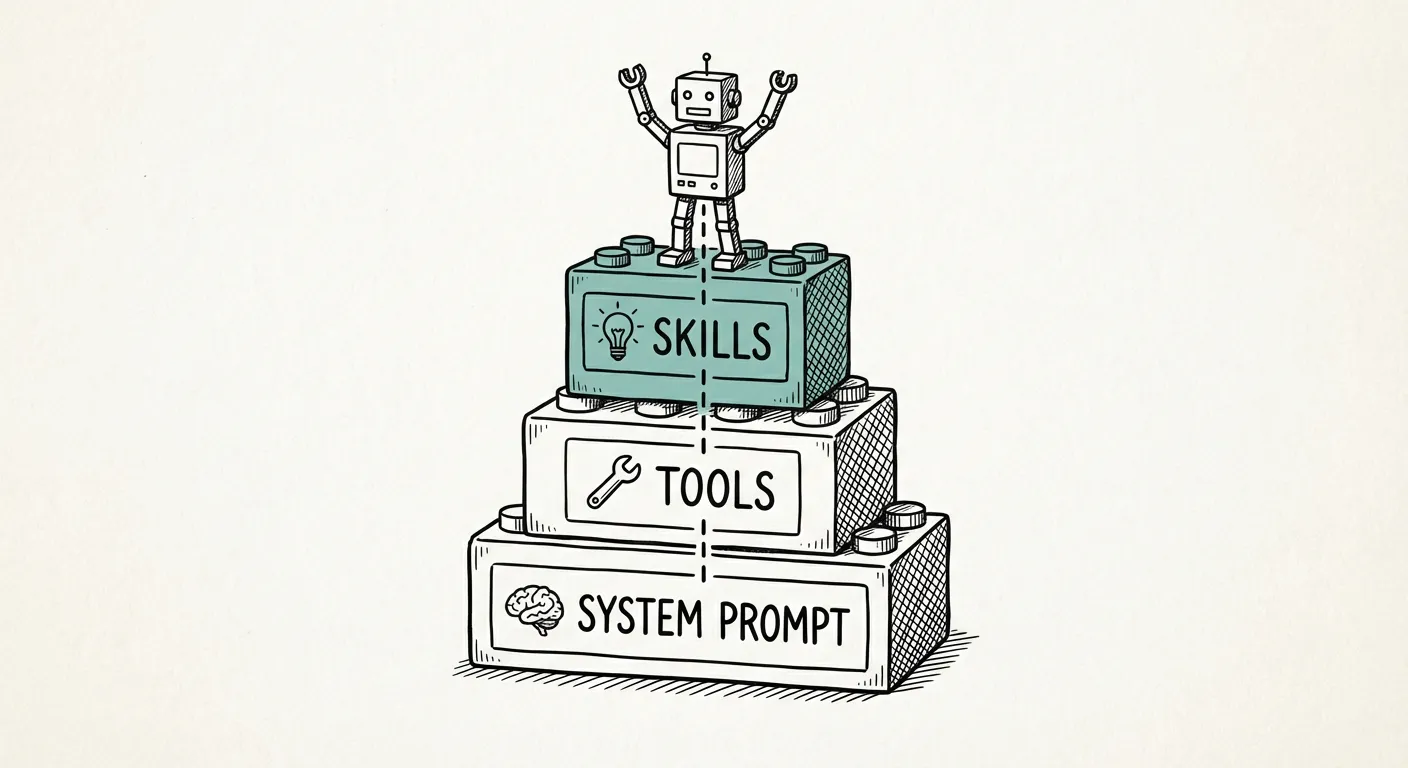
The answer lies in three architectural pillars: System Prompts, Tools, and Skills. The concepts — specialization, tool access, and modular capability loading — are common across Coding Agent architectures. We illustrate them through Pi, the open-source Coding Agent introduced in Part 1.
The System Prompt: Specializing the LLM
A raw LLM — whether it’s GPT-4, Claude, or an open-source model — is a general-purpose text completion engine. It can write poetry, summarize documents, or explain quantum physics. None of that makes it a Coding Agent.
The System Prompt is what specializes the model. It’s a set of instructions injected at the beginning of every conversation that tells the LLM:
- Who it is: “You are a Coding Agent operating in a development environment.”
- What it can do: “You can read files, write code, and execute commands.”
- How it should behave: “Break tasks into steps. Review your changes. Ask for clarification when requirements are ambiguous.”
The system prompt is the agent’s identity. Without it, the LLM is just a chatbot. With it, the LLM becomes a purpose-built tool with a defined role and behavioral constraints. It’s powerful but not immutable — sophisticated prompt injection can override system-level instructions, which is why sandboxing (covered in the next post) remains essential.
Pi takes a deliberately minimalist approach here. Its system prompt is small — just enough to establish the coding context and basic behavioral guidelines. This isn’t an oversight; it’s a design choice with a concrete benefit: more context window for your code. Every token spent on the system prompt is a token not available for reading your codebase.
Tools: The Agent’s Hands
If the System Prompt defines who the agent is, Tools are what make it an agent — they give it the ability to perceive and act on the world. Tools are external functions the agent can invoke during a conversation. In Pi, the default set is deliberately small:
read— Read the contents of a file from diskbash— Run a shell command and capture its outputedit— Make precise edits to existing fileswrite— Write or overwrite a file on disk
Additional read-only tools (grep, find, ls) are available but disabled by default, useful when you want to restrict the agent from modifying files or running arbitrary commands.
These four tools cover the vast majority of what a Coding Agent needs. Read code, edit code, write code, run code. It’s the Unix philosophy applied to agent design: do a few things, and do them well.
Skills: On-Demand Capabilities
This is where Pi’s architecture gets interesting. Skills are fractional prompts — modular instruction sets that grant the agent additional capabilities on demand, without permanently inflating the system prompt.
Think of it this way: the System Prompt is the agent’s permanent knowledge. Skills are reference books that the agent pulls off the shelf when needed, and puts back when done.
For example:
- A “Testing” skill might instruct the agent on how to write pytest tests, when to use fixtures, and how to interpret test output.
- A “Code Review” skill might define a checklist the agent should follow when reviewing its own changes.
- A “Docker” skill might provide best practices for writing Dockerfiles and docker-compose configurations.
Skills are organized in defined file paths that the agent can discover and load. When a task requires a specific skill, the agent reads the skill file, incorporates its instructions into the current context, and proceeds. When the task is done, the skill instructions are not carried forward — keeping the context lean for the next task.
This architecture solves a fundamental tension: capability vs. context. The more instructions you pack into the system prompt, the more capable the agent appears — but the less context window remains for actual work. Skills resolve this by making capabilities available but not always active. They don’t fully eliminate the tension: once a Skill has been used, its tool calls and responses remain in the conversation. The benefit is that the instructions don’t need to be permanently resident — but their effects do accumulate.
Skills typically contain static instructions, but the architecture doesn’t preclude AI-generated content — a Skill could itself invoke an LLM call. The model is flexible enough to grow beyond simple rule sets.
The Agent Loop: How It All Fits Together
The three pillars — System Prompt, Tools, and Skills — interact in a continuous cycle called the Agent Loop. Here’s a simplified view of how a single iteration works:
# Simplified Pi Agent Loop (pedagogical — actual implementation
# includes additional complexity around error handling and skill loading)
system_prompt = load_system_prompt()       # Minimal: specialize LLM for coding
skills = discover_skills(skill_paths)      # Scan defined paths for available skills
tools = register_default_tools()           # read, bash, edit, write

while user_has_task:
    # Build context: system prompt + active skills + conversation + tool results
    active_skills = select_relevant_skills(user_task, skills)
    context = system_prompt + active_skills + conversation_history

    # LLM generates response (may include tool calls)
    response = llm.generate(context)

    if response.contains_tool_call:
        result = execute_tool(response.tool_call, tools)
        conversation_history.append(result)
        # Loop: agent sees tool result and continues
    elif response.is_task_complete:
        present_to_user(response)             # Agent reports results (Markdown)
        # User can interrupt at any point, refine, or start a new task
        break
    else:
        present_to_user(response)             # Agent asks clarifying question
The loop is deceptively simple, but its power lies in the iteration. The agent doesn’t just generate a response and stop — it observes the result of its actions and continues. If a test fails, it reads the error, adjusts the code, and runs the test again. If a file doesn’t exist, it creates it. If a command returns unexpected output, it investigates. The user can interrupt at any point if the agent goes in the wrong direction — this is sometimes necessary and is a normal part of the workflow.
This is the core mechanism that transforms an LLM from a text generator into an autonomous agent: the ability to act, observe, and adapt within a single session.
The MCP Debate: Why Pi Opts Out
No discussion of Coding Agent tools would be complete without addressing MCP (Model Context Protocol). MCP is a protocol for providing tools to LLM-based agents through a standardized interface. It’s gained significant traction, particularly in the Anthropic ecosystem.
Pi does not support MCP. This is a deliberate choice, not an oversight. Here’s why:
Agent Loop complexity: MCP introduces a server-mediated layer between the agent’s tool calls and the actual implementations. Supporting this would require the loop to discover MCP servers, route calls through the protocol, and handle asynchronous communication — adding complexity to the core loop that Pi’s minimal design seeks to avoid.
Unix commands as a substitute: Pi’s
run_commandtool already provides access to CLI tools. Many MCP servers are essentially wrappers around CLI commands. Running the CLI directly is simpler, more transparent, and doesn’t require a separate server process. For simple tool wrappers, the Unix approach works well. For tools requiring structured data exchange or complex state management, MCP’s protocol layer provides value that raw CLI invocation doesn’t.Community perspective: Among experienced Pi practitioners, MCP adoption is notably low — the community has found Skills to be a more practical alternative for the Coding Agent use case.
Skills as an alternative: Where MCP provides structured tool definitions, Pi’s Skills provide structured instructions. The effect is similar — the agent gains new capabilities — but the mechanism is lighter and more flexible.
This isn’t to say MCP is wrong. Its strength lies in standardization: it provides a common language for tool discovery across different agent implementations. For organizations running multiple agent frameworks, MCP could reduce integration complexity. The question is whether this standardization benefit outweighs the added complexity for any single agent. For Pi’s community, the answer so far has been no.
The Growing Pi Ecosystem
Pi’s minimal philosophy hasn’t limited its adoption — quite the opposite. Mario Zechner created Pi as a foundation, and that’s exactly how the community uses it. Pi is now maintained by Earendil, and over 150 contributors have extended it with domain-specific tools and skills while keeping the base clean. Projects like OpenClaw build on Pi’s core.
Pi’s architecture enables this growth: when the core is small and well-defined, the ecosystem can grow organically without maintainers needing to anticipate every use case. Minimal foundations scale better than monolithic frameworks.
So the agent can write code and run commands — but how do you prevent it from running wild on your machine? In the next post, we’ll tackle the practical side: sandboxing, Dev Containers, and the best practices that keep Coding Agents productive without becoming dangerous.