In our discussion of sandboxing approaches, we introduced Bubblewrap as a “lightweight alternative” to Dev Containers — one paragraph in a comparison table. But Bubblewrap is more than a footnote. It represents a fundamentally different philosophy for securing Coding Agents, and it deserves a closer look.
Dev Containers give you a full containerized environment — own OS, own network stack, own filesystem layers. That’s comprehensive, but it’s also heavyweight: a Docker daemon, image pulls, and a 3-minute cold start. Bubblewrap takes the opposite approach. It wraps the agent in a thin, kernel-enforced namespace boundary that takes milliseconds to erect and requires no Docker daemon. It starts from a “zero sandbox” — no access to anything — and selectively grants only what the agent needs.
This post takes you deep into Bubblewrap: how it differs from Docker, how Pi configures it in practice, why its Flatpak heritage makes it one of the most battle-tested sandboxing technologies on Linux, and why wrapping a rapidly-evolving Coding Agent inside a mature, proven security tool is an elegant architectural choice.
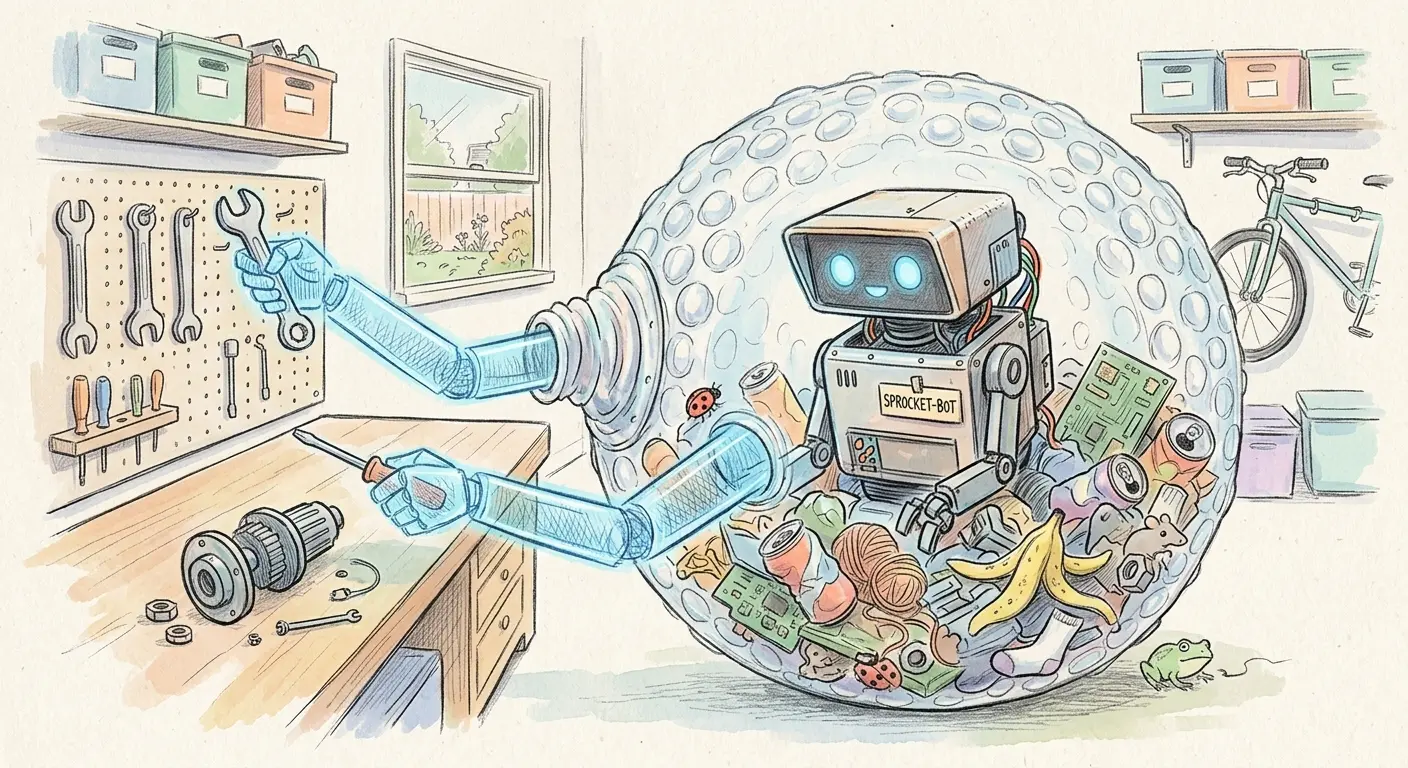
Docker vs. Bubblewrap: Two Philosophies
The difference between Docker and Bubblewrap isn’t just a matter of degree — it’s a difference in kind. Understanding this distinction is critical for choosing the right sandbox for your Coding Agent.
Docker: The Full Container
A Docker container is more than a sandbox. It’s a complete environment:
- An image — a layered filesystem with its own OS, libraries, and tools
- A build script — a
Dockerfilethat assembles those layers - A network stack — full networking with bridge, host, or overlay modes
- A daemon — the Docker daemon, running as root, managing container lifecycles
Docker was designed to solve the “works on my machine” problem — package an application with its entire dependency tree and run it anywhere. Security sandboxing was never the primary goal. The result is a powerful but complex tool with a large attack surface.
Bubblewrap: The Pure Sandbox
Bubblewrap (bwrap) refines the chroot idea — the original Unix sandbox — into a single binary that runs a command inside Linux namespace isolation. No image, no build script, no daemon, no network stack. Instead of providing a full environment like chroot required, you selectively expose only parts of the host.
The philosophical difference is stark:
| Dimension | Docker | Bubblewrap |
|---|---|---|
| What it provides | Full containerized environment | Pure namespace sandbox |
| What you bring | Nothing (image has everything) | Your existing host environment |
| Network stack | Full, configurable | None by default (can share host’s) |
| Daemon required | Yes (root) | No |
| Startup time | Seconds to minutes | Milliseconds |
| Primary design goal | Application packaging & deployment | Security sandboxing |
The key insight: Docker replaces your environment. Bubblewrap constrains your environment. For a Coding Agent that needs your development tools, your language runtimes, and your project dependencies, constraining what’s already there is often simpler and faster than replicating it from scratch.
The Zero Sandbox Principle
Bubblewrap’s most important security property is also its most surprising: by default, the sandbox has access to nothing. No files are mounted, and Linux namespaces are shared unless explicitly unshared. You start from zero and selectively mount what the agent needs.
This is the opposite of the Docker model, where the container starts with a full OS and you explicitly restrict what to take away. With Bubblewrap, every permission is an explicit grant — a whitelist by construction, not a blacklist by convention.
Why does this matter? Because it eliminates an entire class of misconfiguration risks. In Docker, forgetting to restrict something means the agent can access it. In Bubblewrap, forgetting to grant something means the agent can’t access it. The default is locked down. Mistakes make the sandbox tighter, not looser.
Inside Pi’s Bubblewrap Configuration
Let’s look at how Pi actually configures Bubblewrap. The configuration lives in bin/pi — a shell script that wraps the agent invocation in a bwrap call. Despite the complexity of what it achieves, the configuration is remarkably compact: about 20–40 lines.
Here’s an annotated walkthrough of the key elements (simplified — see the actual bin/pi for the full configuration):
bwrap \
  --ro-bind /usr /usr \                    # Read-only: system binaries & libraries
  --ro-bind /bin /bin \                    # Read-only: essential commands
  --ro-bind /etc/passwd /etc/passwd \      # Read-only: only the needed /etc files
  --ro-bind /etc/resolv.conf /etc/resolv.conf \
  --bind "$PWD" "$PWD" \                   # Read-write: the project directory
  --ro-bind "$PWD/bin" "$PWD/bin" \        # Read-only: the wrapper script itself
  --unshare-all --share-net \              # Isolate all namespaces; re-share network for LLM API
  --die-with-parent --new-session \        # Kill sandbox on parent exit; prevent TTY escape
  --setenv HOME "$PWD/.sandbox-home" \     # Isolated home — agent sees no real ~
  npm exec -- "@mariozechner/pi-coding-agent" "$@"
Let’s break down the design decisions:
What Gets Mounted
System directories (
/usr,/bin,/lib,/lib64): Mounted read-only. The agent can read system binaries, shared libraries, and C headers — but cannot modify any of them.Selective
/etcfiles: Onlypasswd,group,hosts, andresolv.confare mounted — not the entire/etcdirectory. An agent that tries to read/etc/shadowsimply gets an error. The boundary enforces itself.The project directory: Mounted read-write as the agent’s workspace. The
bin/subdirectory is mounted read-only — the agent cannot rewrite the sandbox configuration.Isolated home directory: The agent’s
HOMEis set to a sandbox directory ($PWD/.sandbox-home), not your real~. Your SSH keys,.bashrc, and private files are invisible. Only specific paths like.pistate are selectively mapped in.Device, proc, and tmpfs:
/dev,/proc,/tmp, and/runare mounted because basic Unix operations require them. In a browser context these mounts would be dangerous; for a supervised Coding Agent, the utility outweighs the risk — without them, the agent simply can’t function.
What Doesn’t Get Mounted
- The real home directory (
~): Not accessible — replaced with a sandbox directory. - Other projects: Only the current project directory is visible.
- Any path you don’t explicitly list: Zero-default in action — if you didn’t mount it, it doesn’t exist.
Namespace Isolation
The --unshare-all flag isolates all Linux namespaces — user, PID, network, IPC, UTS, and cgroup. The agent gets its own user mapping, process tree, and hostname. The network namespace is then selectively re-shared via --share-net so the agent can call the LLM API. Remove --share-net and the agent has no network access — useful when running a local model that doesn’t require an HTTP server.
~20–40 Lines. That’s It.
The entire Bubblewrap configuration — filesystem mounts, namespace isolation, process lifecycle — fits in a few dozen lines. Compare this to a Dockerfile + devcontainer.json + Docker Compose configuration, which can easily run into hundreds of lines. The minimal configuration is a direct consequence of Bubblewrap’s philosophy: you don’t define an environment from scratch, you constrain the one you already have.
The Flatpak Connection: Why Bubblewrap Is Battle-Proofed
Bubblewrap isn’t a new, experimental tool built for the AI era. It’s a mature, battle-tested technology with a provenance that should give any security-conscious developer confidence.
Born Under Flatpak
Bubblewrap is the sandboxing engine that powers Flatpak — the Linux desktop application sandboxing and distribution framework. Every time a Flatpak application runs, Bubblewrap creates the namespace boundary that isolates it from the host system.
Flatpak has been the dominant Linux desktop application sandboxing technology for years. It runs on a large share of Linux desktop machines — every Ubuntu, Fedora, and Mint system that uses Flatpak to install and run desktop applications is relying on Bubblewrap underneath.
Years of Real-World Deployment
This isn’t theoretical security. Bubblewrap has been:
- Deployed on a large share of Linux desktops for years
- Stress-tested against real-world applications with complex filesystem and network needs
- Audited and hardened through the Flatpak project’s security review process
- Updated and maintained by a community that includes security researchers and distribution maintainers
Compare this to most Coding Agent tools, which have been in existence for months to maybe two years. The LLM and Coding Agent space is evolving at breakneck speed — and that speed comes with a cost: less testing, less auditing, less maturity.
The Elegance of Wrapping New in Old
This is where the architectural insight emerges: the best security for a rapidly-evolving tool isn’t more features — it’s a proven, minimal boundary.
Coding Agents change weekly. New models, new tools, new capabilities. The codebase you used last month may be significantly different from the one you use today. This rapid evolution makes thorough security testing nearly impossible — there isn’t time to audit every change before the next one lands.
Bubblewrap, by contrast, hasn’t fundamentally changed in years. It’s a stable, well-understood tool that does one thing well. Wrapping a new, rapidly-changing Coding Agent inside a mature, proven sandbox is an architectural hedge: you accept that the agent itself may have unknown behaviors, but you constrain those behaviors within a boundary that is known, tested, and trusted.
It’s the same principle behind using a proven firewall to protect a new web application: you don’t need to trust the application completely if you trust the boundary around it. The boundary doesn’t care why the agent misbehaves — a model update, a prompt injection, a context overflow — it simply blocks what wasn’t explicitly allowed.
Security Analysis
No sandboxing technology is impervious. Let’s be honest about the attack vectors and how they compare.
Unprivileged by Design
Bubblewrap is unprivileged. It doesn’t require a root daemon, and it doesn’t grant root access inside the sandbox. The Docker daemon, by contrast, traditionally runs as root — and while rootless Docker and Podman have improved this, the default deployment on most systems still involves a privileged daemon.
This matters because daemon compromise is one of the most serious attack vectors in containerized environments. If an attacker can reach the Docker daemon, they can often escalate to host root. Bubblewrap has no daemon — though on some distributions, bwrap is installed setuid to enable unprivileged user namespace creation, a smaller but real attack surface than a root daemon.
Trusted Binary via System Package Manager
Installing Bubblewrap through your distribution’s package manager (apt install bubblewrap on Ubuntu/Debian, dnf install bubblewrap on Fedora) ensures you get a trusted, signed binary that has been reviewed by your distribution’s maintainers. On some distributions (e.g., Ubuntu 24.04+), the system bwrap also avoids permission issues with kernel user namespace restrictions.
This is a simple but important principle: use the system-provided binary, not a third-party one. Your distribution’s package manager provides provenance, integrity checks, and security updates. A bwrap binary from an unknown source could be compromised — the same supply-chain risk that applies to any software component.
Standard-Compliant and Hard to Break Out Of
The current Bubblewrap implementation follows Linux namespace APIs by the book. It creates no clever workarounds, no shortcuts, no non-standard kernel interfaces. This means that as long as the kernel’s namespace isolation is functioning correctly, breaking out of a properly configured Bubblewrap sandbox requires finding a kernel vulnerability — not a Bubblewrap vulnerability.
In practical terms, the configuration used by Pi is straightforward: isolate all namespaces, mount only what’s needed, make the wrapper script read-only. There are no exotic features that might interact unexpectedly with the kernel.
Attack Surface Comparison
| Attack Vector | Docker Dev Container | Bubblewrap |
|---|---|---|
| Kernel CVEs | Shared (both rely on kernel) | Shared (both rely on kernel) |
| Daemon compromise | Docker daemon runs as root | No daemon (unprivileged) |
| Network attack surface | Full network stack exposed | Minimal (shared or isolated) |
| Image supply chain | Image layers from registries | No images (uses host filesystem) |
| Binary supply chain | Docker binary (package manager) | System bwrap (package manager, trusted) |
| Escape via misconfiguration | Container escape possible | Namespace escape possible but harder |
| Privilege escalation | Root in container → potential host root | Unprivileged by design |
| Complexity | High (daemon + images + network) | Low (single binary + mount flags) |
The pattern is clear: less complexity means less attack surface. Bubblewrap does fewer things, which means there are fewer things that can go wrong.
When to Choose Bubblewrap over Dev Containers
Bubblewrap isn’t the right answer for every situation. Here’s when it shines:
CPU-only tasks where startup speed matters. If you’re doing quick iterations and the 3-minute Docker cold start breaks your flow, Bubblewrap’s sub-second startup is compelling.
Projects that don’t need a containerized environment. If your dev environment is already set up — the right Python version, the right dependencies, the right tools — there’s no need to duplicate all of that inside a Docker image. Bubblewrap constrains what you have instead of replacing it.
Teams that don’t want to maintain Docker configurations. A
bin/piwrapper with 30 lines ofbwrapflags is easier to understand, review, and maintain than a Dockerfile +devcontainer.json+ Docker Compose stack.Security-first workflows. When the primary concern is “what can the agent access?” rather than “what environment does the agent need?”, Bubblewrap’s zero-default model provides stronger security guarantees with less configuration.
And when should you stick with Dev Containers?
GPU workloads or non-Linux hosts. Bubblewrap is Linux-only (it relies on namespace APIs), and while GPU passthrough is technically possible via
--dev-bindfor device nodes and--ro-bindfor driver libraries — the same mechanism Docker’snvidia-container-toolkituses internally — it lacks ergonomic GPU support like Docker’s--gpus allflag. For GPU-heavy workflows, Dev Containers remain the more practical choice. On macOS or Windows, Dev Containers are the recommended sandbox.Team standardization. If your team already uses Dev Containers, the consistency benefit outweighs Bubblewrap’s lightweight advantage.
CI/CD integration. Docker containers integrate naturally with most CI/CD pipelines. Bubblewrap is more of a local development tool.
Full environment isolation. If you need a completely different OS or dependency tree, Docker gives you clean separation. For the strongest possible isolation, use a VM.
The Bottom Line
Bubblewrap proves: the best security for a rapidly-evolving tool isn’t more features — it’s a proven, minimal boundary battle-tested for years. A 30-line bwrap configuration, using the system binary, wrapping a Coding Agent in namespace isolation that Flatpak has stress-tested across Linux desktops — that’s a boundary you can reason about and trust.
Dev Containers remain the choice for teams needing full isolation and ergonomic GPU support. But for developers who want a fast, secure sandbox, Bubblewrap serves exactly this purpose — sandboxing untrusted, autonomous processes — even though it was built for a different era of Linux desktop applications.
This is a follow-up to our series on Coding Agents in Practice. Start from the beginning with Beyond the Chat Window, explore how agents work under the hood, learn about sandboxing and best practices, or read about the enterprise strategic question.